Computer Technician Assistant Resume – Sample Templates, Examples, Tips
Computer Technician Assistant Resume: Crafting a standout resume is essential for aspiring computer technician assistants looking to make a strong impression in the tech industry. This article provides valuable sample templates and examples, along with expert tips to help you highlight your skills and experience effectively. Elevate your job application and increase your chances of landing that coveted position with our comprehensive guide.
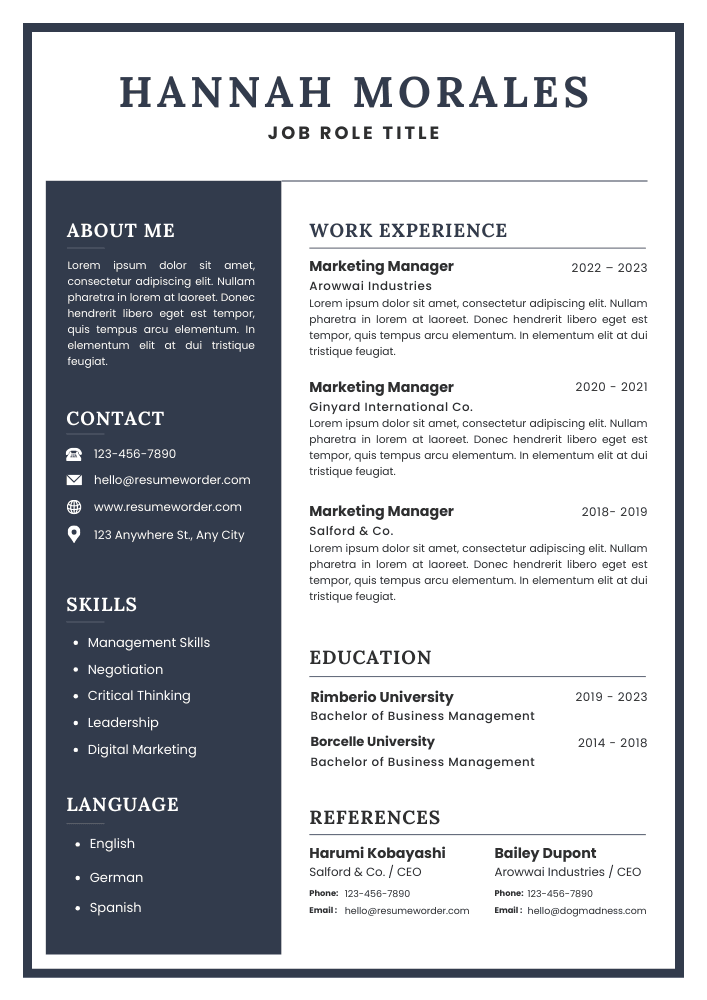
Computer Technician Assistant Resume – Key Points
| Role | Computer Technician Assistant |
| Category | Assistant |
| Objective | Detail-oriented and proactive Computer Technician Assistant seeking to leverage technical skills and problem-solving abilities to support IT operations, enhance system performance, and deliver exceptional customer service in a dynamic environment. |
| Description | Dedicated Computer Technician Assistant with hands-on experience in troubleshooting hardware/software issues, providing technical support, and maintaining systems. Strong problem-solving skills and a passion for technology ensure efficient and effective solutions. |
| Required Skills | 1. Technical Troubleshooting 2. Hardware and Software Installation 3. Customer Service Skills 4. Networking Knowledge 5. Time Management |
| Mistakes to Avoid | 1. Including irrelevant work experience that doesn’t relate to the position. 2. Using a generic objective statement instead of a tailored summary. 3. Failing to highlight technical skills and certifications prominently. 4. Overloading the resume with jargon and technical terms without context. 5. Neglecting to proofread for spelling and grammatical errors. |
| Important Points to Add | 1. Technical Skills (e.g., hardware/software troubleshooting, networking) 2. Relevant Certifications (e.g., CompTIA A+, Microsoft Certified) 3. Experience with Operating Systems (e.g., Windows, macOS, Linux) 4. Customer Service Skills (e.g., communication, problem-solving) 5. Hands-on Experience (e.g., internships, volunteer work, projects) |
Computer Technician Assistant Resume – Objective Examples
Motivated computer technician intern seeking to gain hands-on experience in troubleshooting and repairing hardware and software issues while contributing to a dynamic team and enhancing technical skills.
Detail-oriented recent graduate with a passion for technology, aiming to leverage academic knowledge and problem-solving skills as a Computer Technician Assistant to support users and improve system performance.
Dedicated computer technician with 3 years of experience in diagnosing and resolving technical issues, eager to apply expertise in a fast-paced environment to enhance user satisfaction and operational efficiency.
Results-driven senior computer technician with over 7 years of experience in IT support, seeking to lead a team in delivering exceptional technical solutions while optimizing processes and mentoring junior staff.
Experienced computer technician assistant with a strong background in network management and hardware repair, looking to contribute technical expertise and leadership skills to a forward-thinking organization.
Computer Technician Assistant Resume Description Examples
Provided technical support for hardware and software issues, ensuring timely resolutions and exceptional customer satisfaction while maintaining detailed documentation of service requests and solutions implemented.
Assisted in the installation, configuration, and troubleshooting of computer systems, enhancing operational efficiency and minimizing downtime for end-users across various departments.
Conducted routine maintenance and upgrades on computer systems, ensuring optimal performance and security, while educating users on best practices for technology use.
Collaborated with senior technicians to diagnose complex technical issues, contributing to team success and improving overall service delivery through effective communication and problem-solving skills.
Managed inventory of computer parts and peripherals, streamlining procurement processes and ensuring availability of essential components for efficient repair and maintenance operations.
Summary Statements for Computer Technician Assistant Resume
Detail-oriented Computer Technician Assistant with hands-on experience in troubleshooting hardware and software issues, eager to support IT teams and enhance user experiences through effective technical solutions.
Enthusiastic and motivated Computer Technician Assistant, recently graduated with a strong foundation in computer systems, eager to apply technical skills and contribute to team success in a fast-paced environment.
Proficient Computer Technician Assistant with over three years of experience in diagnosing and resolving technical issues, committed to delivering exceptional customer service and optimizing system performance for clients.
Experienced Computer Technician Assistant with over five years in IT support, skilled in advanced troubleshooting, network management, and user training, dedicated to improving operational efficiency and client satisfaction.
Senior Computer Technician Assistant with a decade of expertise in IT support and system administration, adept at leading teams, implementing innovative solutions, and driving technology improvements for organizational success.
Entry Level Computer Technician Assistant Resume for Freshers
Shayera Hol
(718) 555-3456
4747 Oak Avenue, Brookside, FL 56789
[email protected]
Objective
Detail-oriented and motivated Computer Technician Assistant seeking to leverage technical skills and knowledge in a dynamic environment. Eager to contribute to team success while gaining hands-on experience in computer hardware and software support.
Education
Associate of Applied Science in Computer Information Technology
Brookside Community College, Brookside, FL
Graduated: May 2023
Experience
Intern, IT Support
Tech Solutions Inc., Brookside, FL
June 2023 – August 2023
- Assisted in troubleshooting hardware and software issues for clients, resolving 95% of inquiries on first contact.
- Provided technical support via phone, email, and in-person, enhancing customer satisfaction.
- Documented and tracked support requests using ticketing software, ensuring timely follow-ups.
Volunteer, Computer Lab Assistant
Brookside Public Library, Brookside, FL
January 2022 – May 2023
- Supported patrons with computer usage and internet access, fostering a welcoming environment.
- Conducted basic training sessions on software applications, improving digital literacy among community members.
Skills
- Proficient in Windows and Mac OS environments
- Knowledge of computer hardware components and troubleshooting
- Familiarity with networking concepts and protocols
- Strong problem-solving and analytical skills
- Excellent verbal and written communication skills
Certification
CompTIA A+ Certification
Issued: September 2023
Projects
Personal Computer Build
- Designed and assembled a custom gaming PC, selecting components based on performance and budget considerations.
- Installed and configured operating systems and software applications, ensuring optimal functionality.
Network Setup for Small Business
- Assisted in setting up a local area network (LAN) for a small business, including router configuration and device connectivity.
- Implemented security measures to protect sensitive data and ensure reliable network performance.
Languages
- English (Fluent)
- Spanish (Conversational)
References
Available upon request.
Mid-Level Experienced Computer Technician Assistant Resume – Sample
Tony Stark
(201) 555-0123
123 Main Street, Anytown, CA 12345
[email protected]
Objective
Detail-oriented and tech-savvy Computer Technician Assistant with over 4 years of experience in troubleshooting, repairing, and maintaining computer systems. Seeking to leverage expertise in hardware and software support to enhance operational efficiency at a forward-thinking tech company.
Education
Bachelor of Science in Computer Science
University of California, Anytown, CA
Graduated: May 2019
Experience
Computer Technician Assistant
Tech Solutions Inc., Anytown, CA
June 2019 – Present
- Provided technical support and troubleshooting for over 200 clients, resolving issues related to hardware, software, and network connectivity.
- Assisted in the installation and configuration of computer systems and peripherals, ensuring optimal performance.
- Conducted routine maintenance and upgrades on systems, improving overall efficiency by 30%.
- Collaborated with senior technicians to develop training materials for new staff, enhancing team productivity.
IT Support Intern
Innovative Tech Corp., Anytown, CA
January 2018 – May 2019
- Supported the IT department in diagnosing and resolving technical issues for staff and clients.
- Assisted in the setup and maintenance of computer networks, contributing to a 20% reduction in downtime.
- Documented technical procedures and user guides, improving knowledge sharing within the team.
Skills
- Proficient in Windows and Mac OS environments
- Strong knowledge of hardware components and troubleshooting techniques
- Experience with network configuration and security protocols
- Excellent communication and customer service skills
- Familiarity with software installation and system upgrades
Awards
- Employee of the Month, Tech Solutions Inc. (March 2021)
- Dean’s List, University of California (2017, 2018)
Honors
- Graduated with Honors, Bachelor of Science in Computer Science
- Member of the National Honor Society for Computing
Certifications
- CompTIA A+ Certification
- Microsoft Certified: Azure Fundamentals
Projects
- Developed a comprehensive troubleshooting guide for common computer issues, reducing average resolution time by 15%.
- Led a team project to upgrade the company’s network infrastructure, resulting in improved speed and reliability for all users.
Additional Information
- Available for relocation
- Passionate about emerging technologies and continuous learning
5-10+ Years Experienced Computer Technician Assistant Resume Sample Format
Steve Rogers
(312) 555-4567
456 Elm Street, Springfield, IL 67890
[email protected]
Summary
Dedicated and detail-oriented Computer Technician Assistant with over 7 years of experience in providing technical support and troubleshooting for hardware and software issues. Proven ability to enhance system performance and user satisfaction through effective problem-solving and communication skills. Passionate about staying updated with the latest technology trends and delivering exceptional customer service.
Education
Bachelor of Science in Information Technology
University of Springfield, Springfield, IL
Graduated: May 2016
Work Experience
Computer Technician Assistant
Tech Solutions Inc., Springfield, IL
June 2016 – Present
- Provided technical support to over 200 clients, resolving hardware and software issues efficiently and effectively.
- Assisted in the installation and configuration of computer systems, peripherals, and network equipment.
- Conducted routine maintenance and upgrades on computers and servers, improving overall system performance by 30%.
- Developed and maintained documentation for troubleshooting procedures and user manuals.
- Trained new staff on technical support processes and customer service best practices.
IT Support Intern
Innovative Tech Corp., Springfield, IL
January 2015 – May 2016
- Supported the IT team in troubleshooting and resolving technical issues for end-users.
- Assisted in the setup and deployment of new workstations and software applications.
- Participated in inventory management of IT assets and equipment.
- Gained hands-on experience with various operating systems, including Windows, macOS, and Linux.
Skills
- Hardware and Software Troubleshooting
- Network Configuration and Support
- Customer Service Excellence
- System Maintenance and Upgrades
- Technical Documentation
- Time Management and Organization
- Strong Communication Skills
Awards
- Employee of the Month, Tech Solutions Inc. (March 2021)
- Outstanding Intern Award, Innovative Tech Corp. (May 2016)
Honors
- Dean’s List, University of Springfield (2014-2016)
Certification
- CompTIA A+ Certification (2020)
- Microsoft Certified: Azure Fundamentals (2021)
Projects
- Network Optimization Project: Led a team to optimize the network infrastructure for a local business, resulting in a 40% increase in data transfer speeds.
- User Training Program: Developed and implemented a training program for new employees on software applications and IT policies, enhancing user proficiency and reducing support requests by 25%.
References
Available upon request.
Required Skills for Computer Technician Assistant Resume Job
- Hardware troubleshooting
- Software installation and configuration
- Networking fundamentals
- Operating system support (Windows, macOS, Linux)
- Customer service skills
- Virus and malware removal
- Data backup and recovery
- Technical documentation
- Remote support tools
- Time management
- Attention to detail
- Problem-solving skills
- Communication skills
- Team collaboration
- Basic programming knowledge
Action Verbs to Use in Computer Technician Assistant Resume
- Diagnosed – Identified and resolved hardware and software issues to ensure optimal system performance.
- Configured – Set up and customized computer systems and networks to meet user specifications and requirements.
- Troubleshot – Analyzed and repaired technical problems, providing effective solutions to minimize downtime.
- Installed – Implemented software applications and hardware components, ensuring proper functionality and compatibility.
- Maintained – Conducted regular system checks and updates to enhance performance and security.
- Assisted – Supported users with technical inquiries and provided training on software and hardware usage.
- Monitored – Observed system performance and security protocols to detect and prevent potential issues.
- Upgraded – Enhanced existing systems by integrating new technologies and improving overall efficiency.
- Documented – Recorded technical procedures and solutions to create a comprehensive knowledge base for future reference.
- Collaborated – Worked with team members to develop and implement IT projects, ensuring alignment with organizational goals.
- Resolved – Addressed and fixed user-reported issues, ensuring a high level of customer satisfaction.
- Executed – Carried out scheduled maintenance tasks and system backups to protect data integrity.
- Educated – Provided users with information and resources to improve their understanding of technology.
- Streamlined – Improved processes and workflows to enhance productivity and reduce operational costs.
- Facilitated – Coordinated with vendors and service providers to ensure timely delivery of IT services and support.
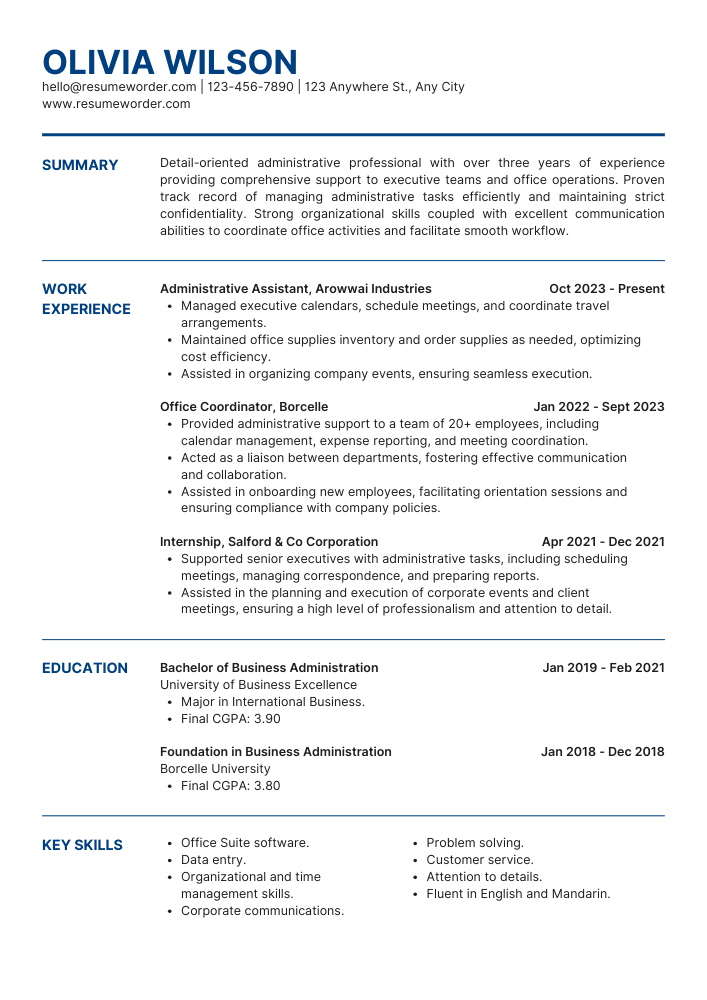
Download Computer Technician Assistant Resume – Free Templates


FAQs about Computer Technician Assistant Resume
What are the key components to include in a Computer Technician Assistant resume?
A strong Computer Technician Assistant resume should include your contact information, a professional summary, relevant skills, work experience, education, and any certifications. Highlight technical skills such as troubleshooting, hardware and software installation, and customer service abilities to make your resume stand out.
How can I tailor my Computer Technician Assistant resume for a specific job?
To tailor your Computer Technician Assistant resume, carefully read the job description and identify the key skills and qualifications the employer is seeking. Incorporate relevant keywords and phrases into your resume, and emphasize your experience and achievements that align with those requirements.
What skills should I highlight on my Computer Technician Assistant resume?
When crafting your Computer Technician Assistant resume, focus on both technical and soft skills. Technical skills may include proficiency in operating systems, networking, and hardware repair. Soft skills such as communication, problem-solving, and teamwork are equally important, as they demonstrate your ability to work effectively with clients and colleagues.
How do I format my Computer Technician Assistant resume for maximum impact?
To format your Computer Technician Assistant resume effectively, use a clean and professional layout. Choose a readable font, use bullet points for easy scanning, and maintain consistent spacing. Organize sections logically, starting with your contact information, followed by a summary, skills, experience, and education. This structure helps employers quickly find the information they need.
Should I include volunteer work on my Computer Technician Assistant resume?
Yes, including volunteer work on your Computer Technician Assistant resume can be beneficial, especially if it relates to the field or demonstrates relevant skills. Volunteer experiences can showcase your commitment to technology, customer service, and teamwork, making your resume more appealing to potential employers.
In conclusion, a well-crafted Computer Technician Assistant Resume is essential for showcasing your skills and qualifications effectively. By including tailored sections such as objectives, summaries, education, and certifications, you can create a compelling narrative that highlights your strengths. Utilize the provided samples and free template to enhance your resume, making you stand out in the competitive job market.
Resume Tips
Related Posts

Academic Assistant Resume – Guide, Sample Templates, Examples

School Age Program Assistant Resume – Examples, Sample Templates, Tips

Community Service Assistant Resume – Sample Templates, Examples, Tips

Athletic Communications Assistant Resume – Sample Templates, Examples, Tips

Operation Assistant Resume – Guide, Sample Templates, Examples
